
Top Active Telegram
Telegram automation — bulk messaging, groups, chatbot and member extraction.
Current version: V. 3.4.0.0 · Updated April 13, 2026.
Telegram automation — bulk messaging, groups, chatbot and member extraction.
Current version: V. 3.4.0.0 · Updated April 13, 2026.
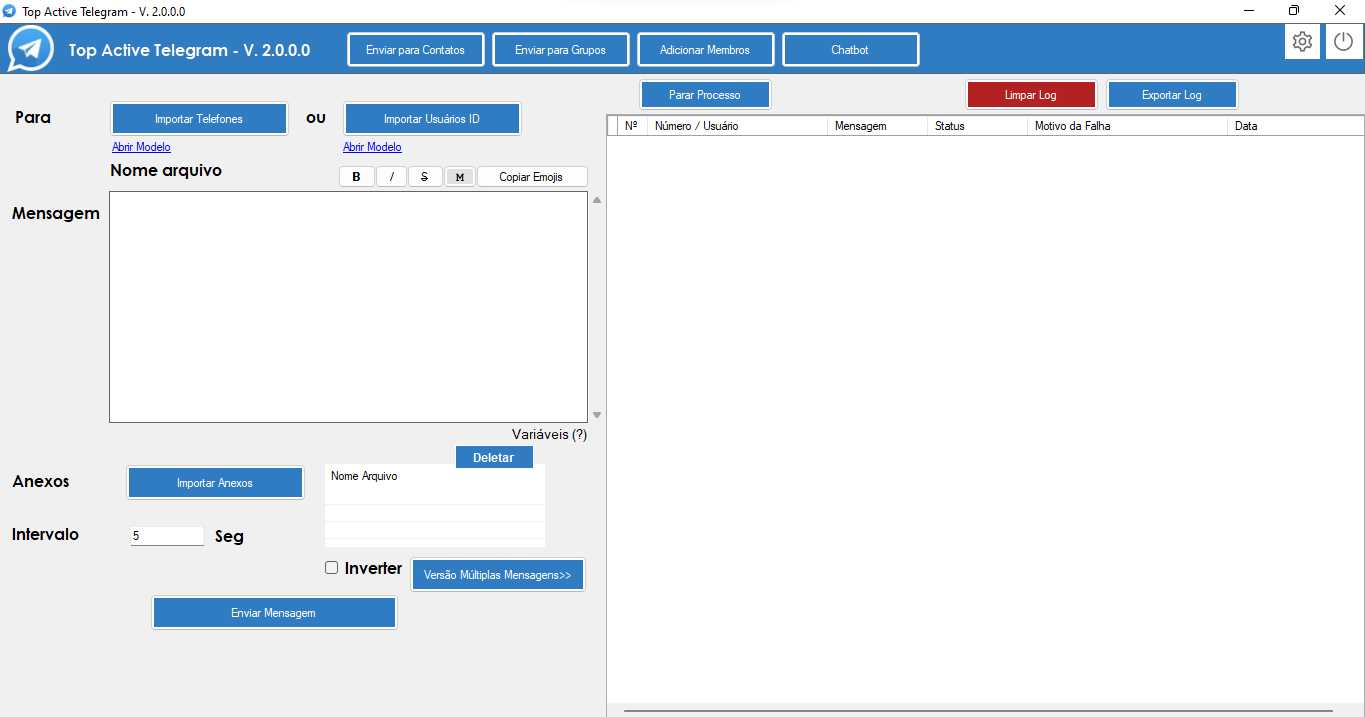
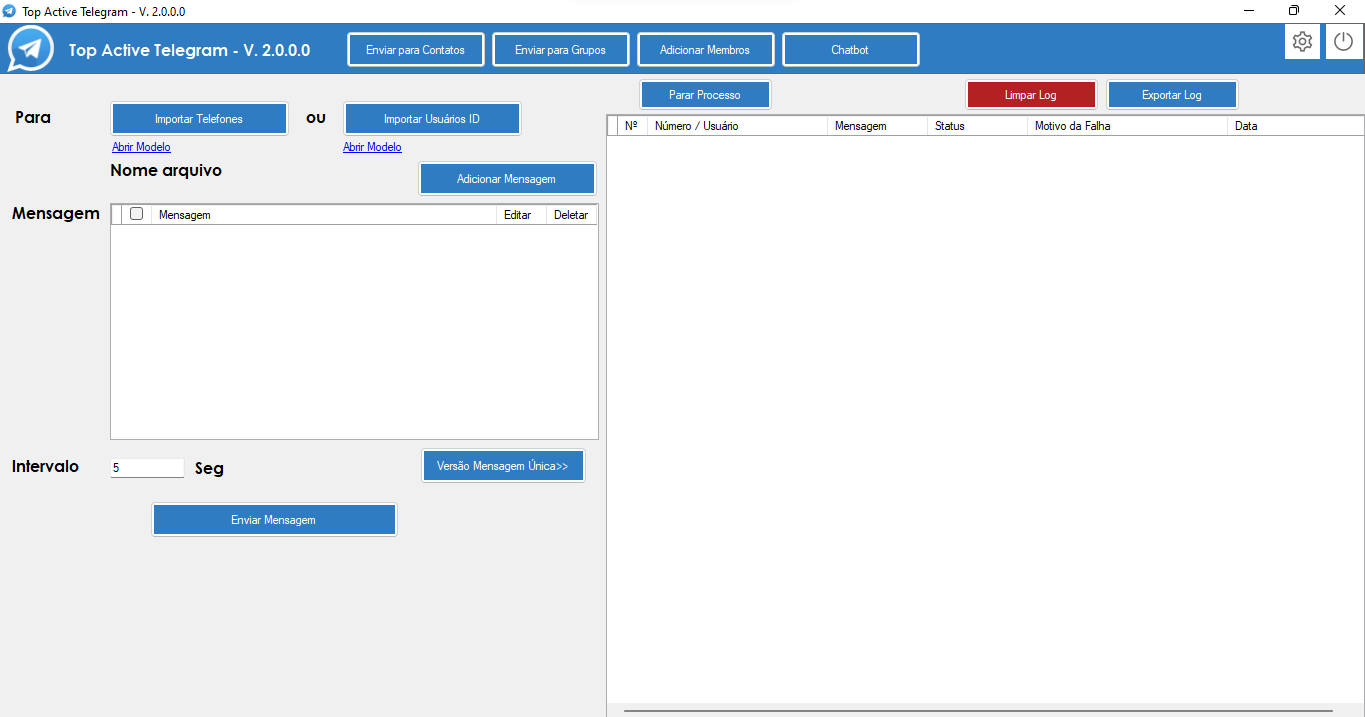
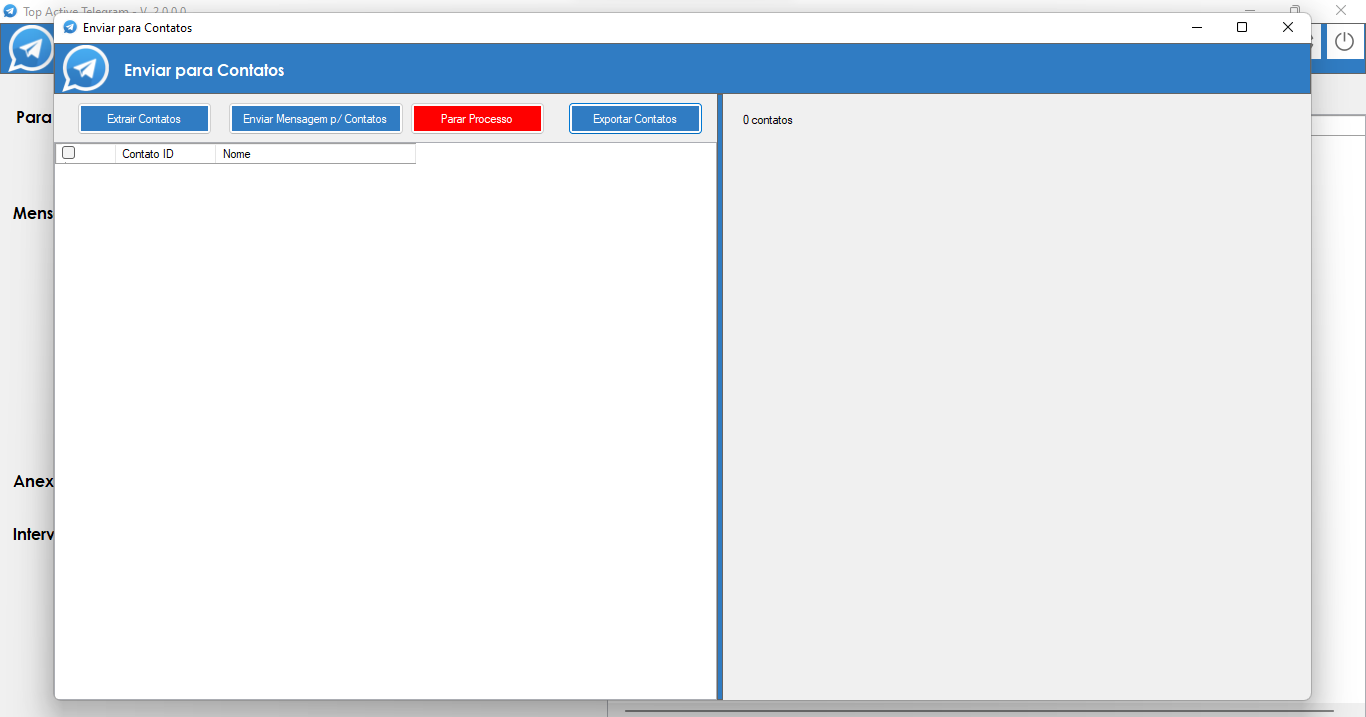
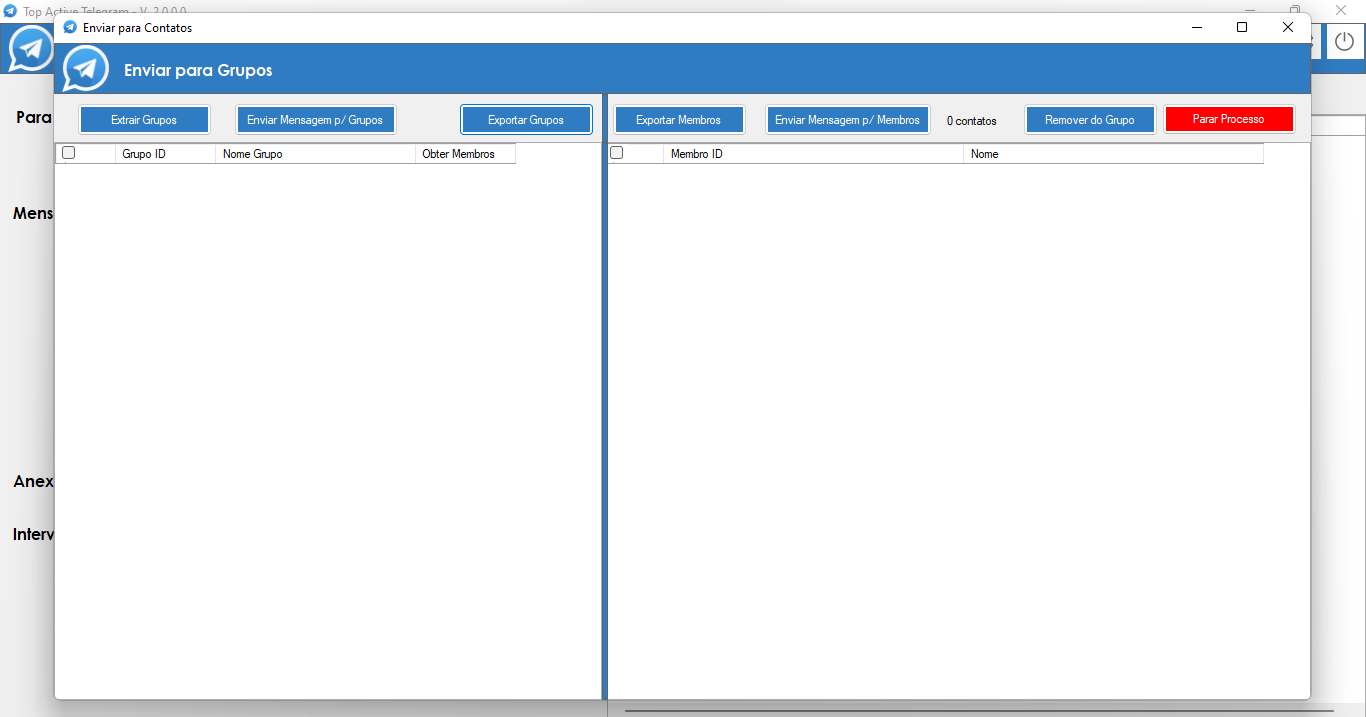
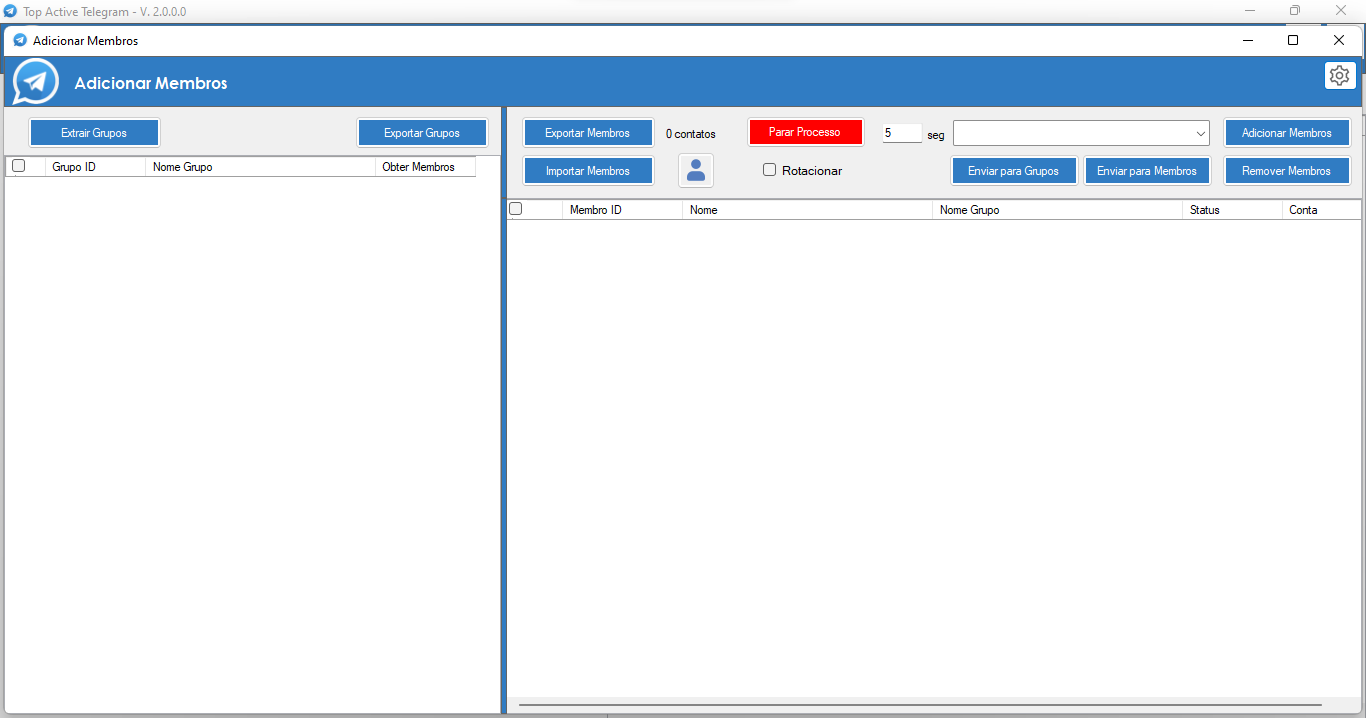
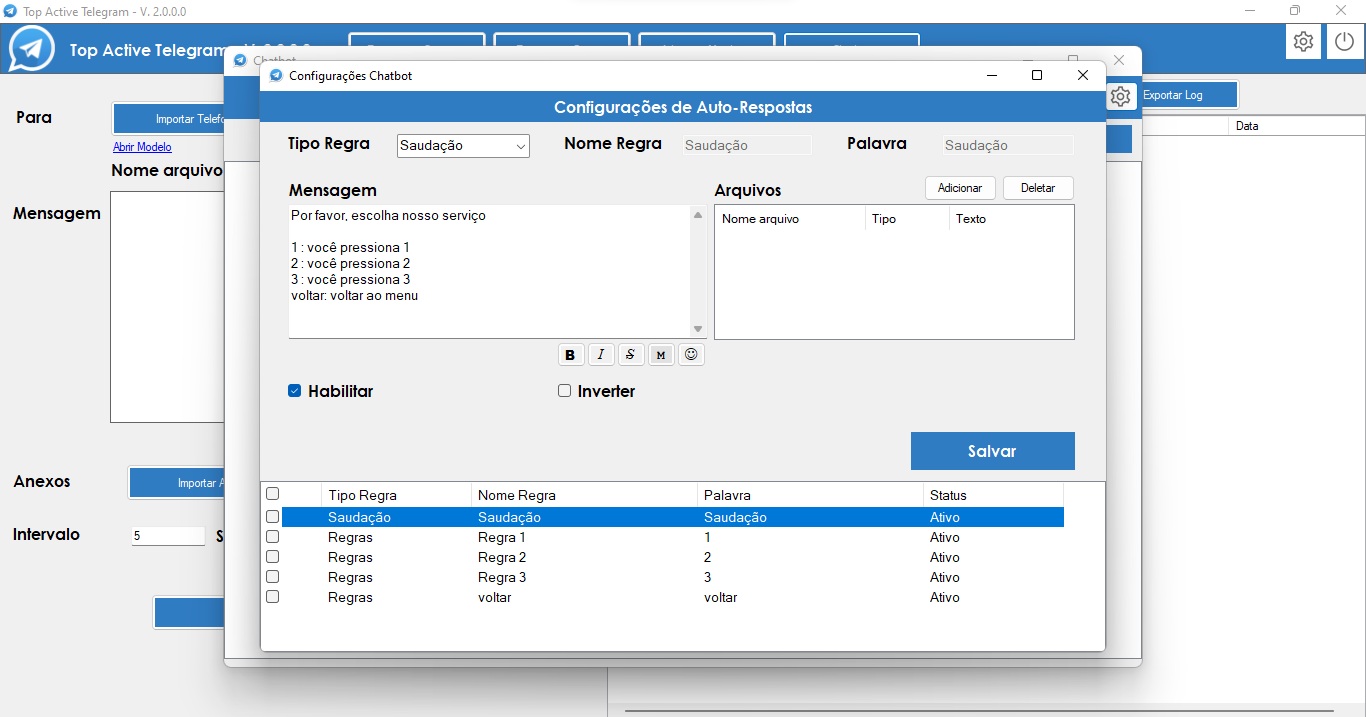
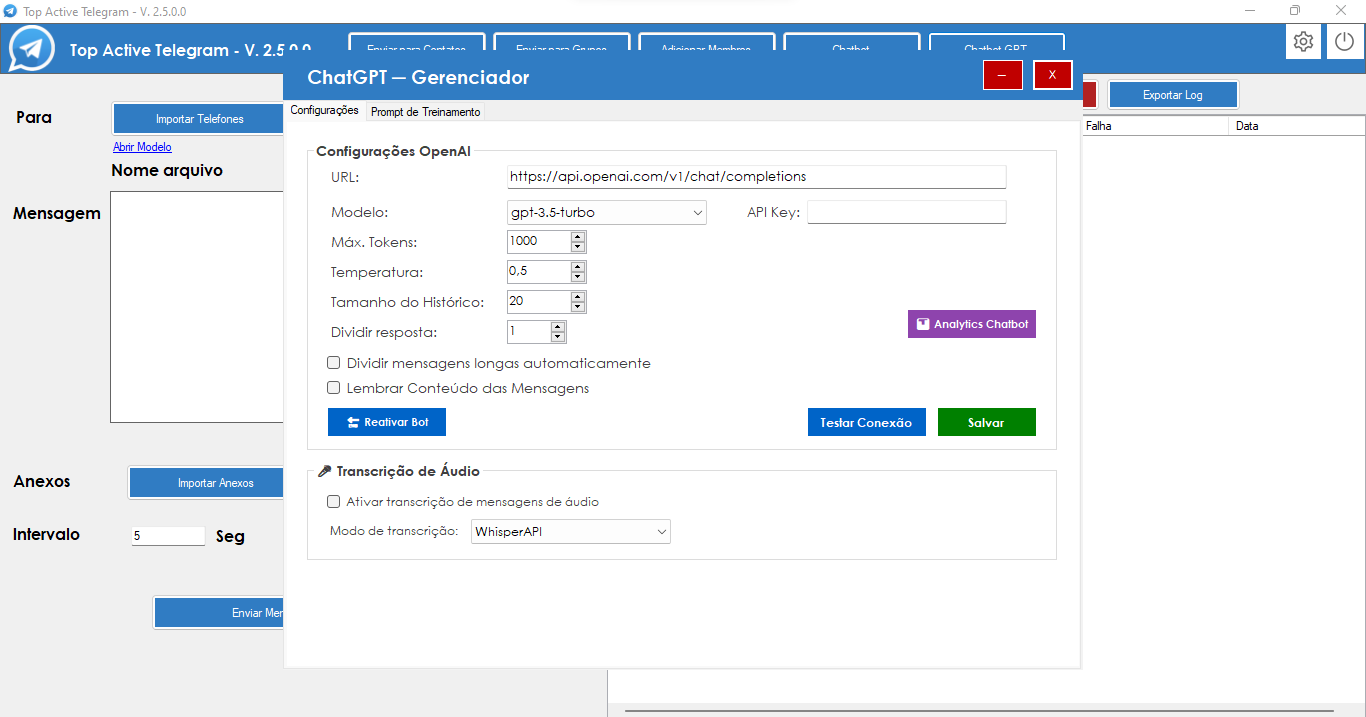
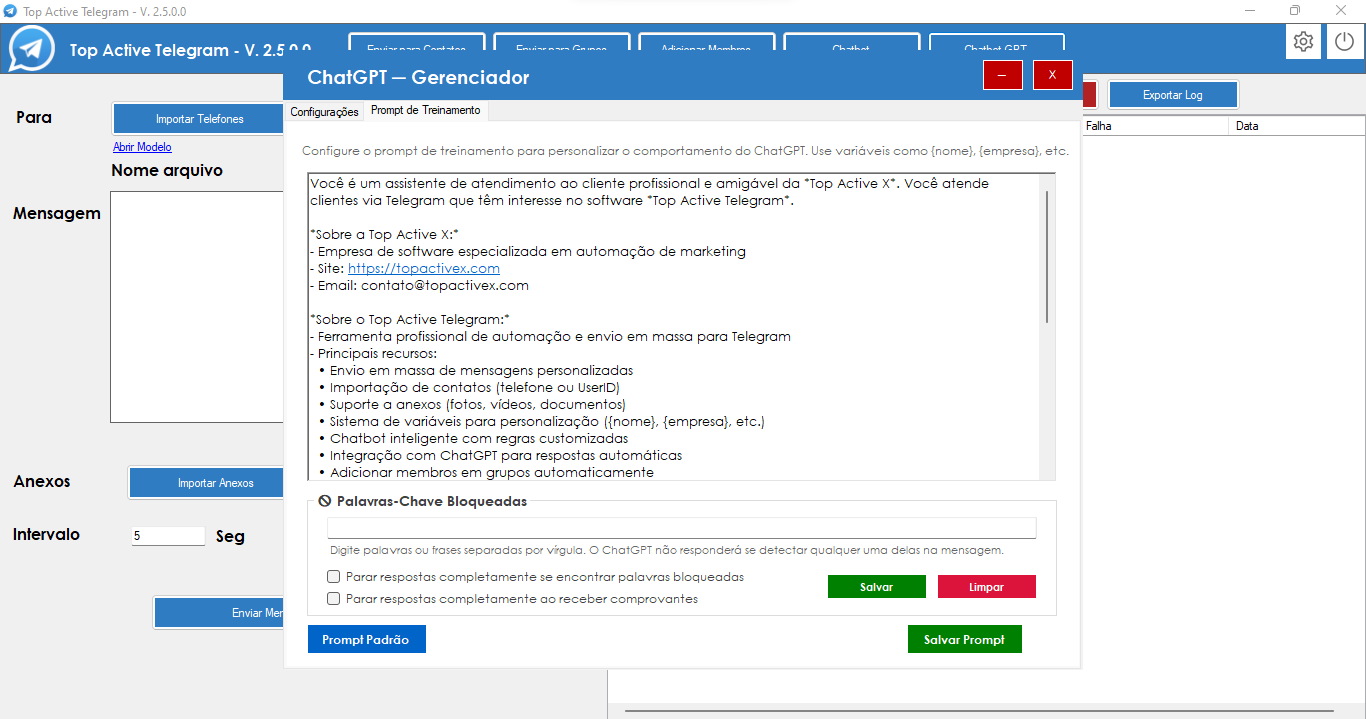
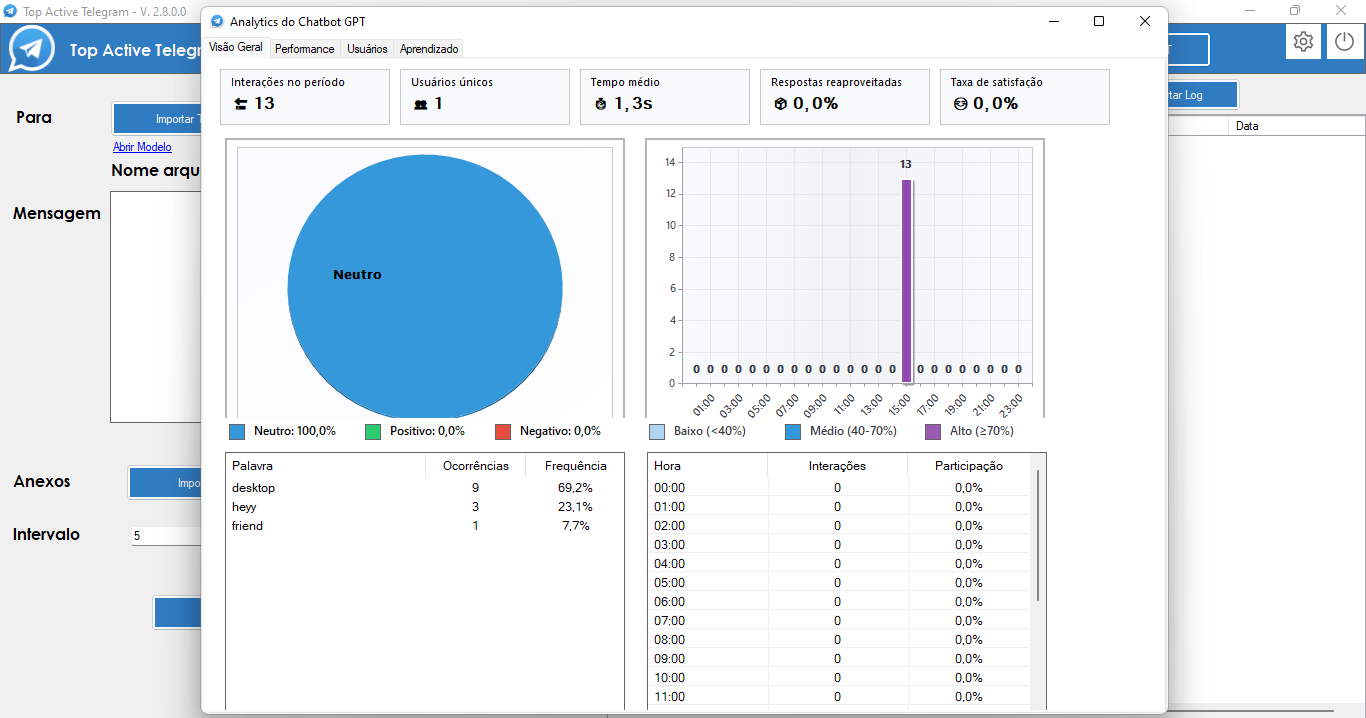
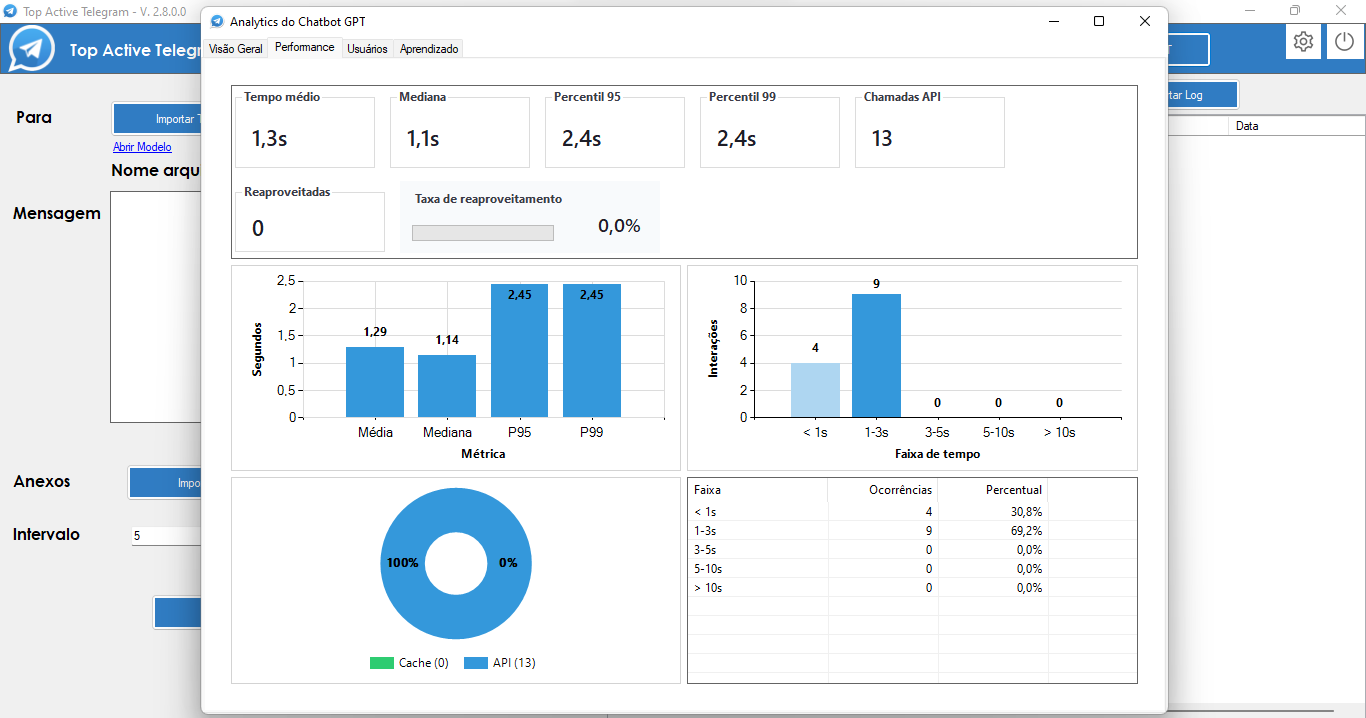
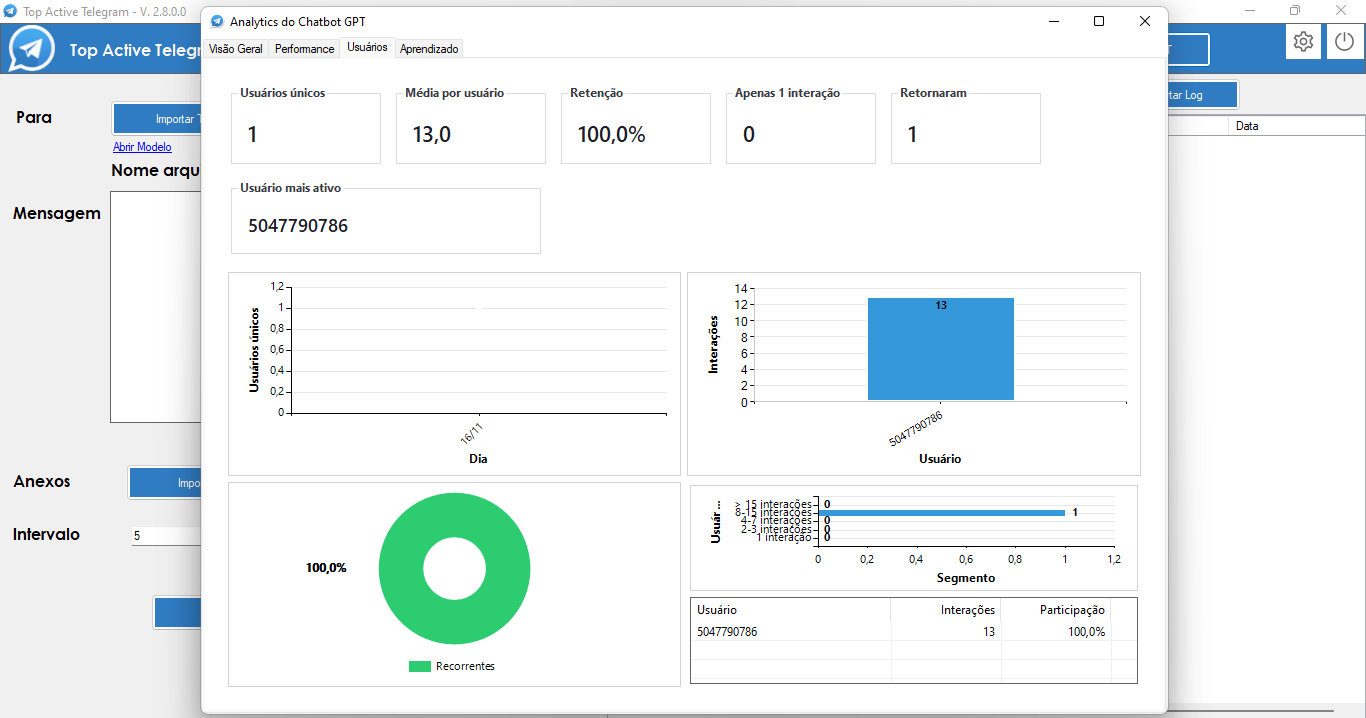
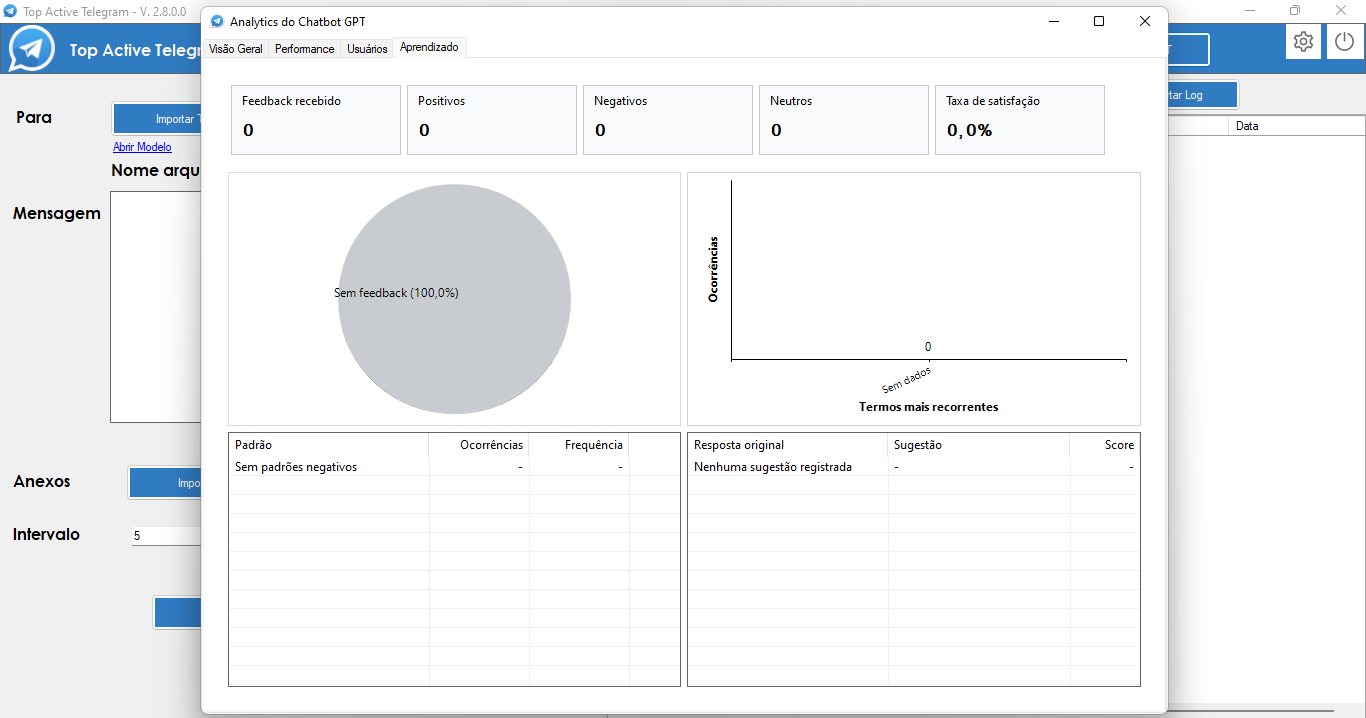
Last updated: April 13, 2026.
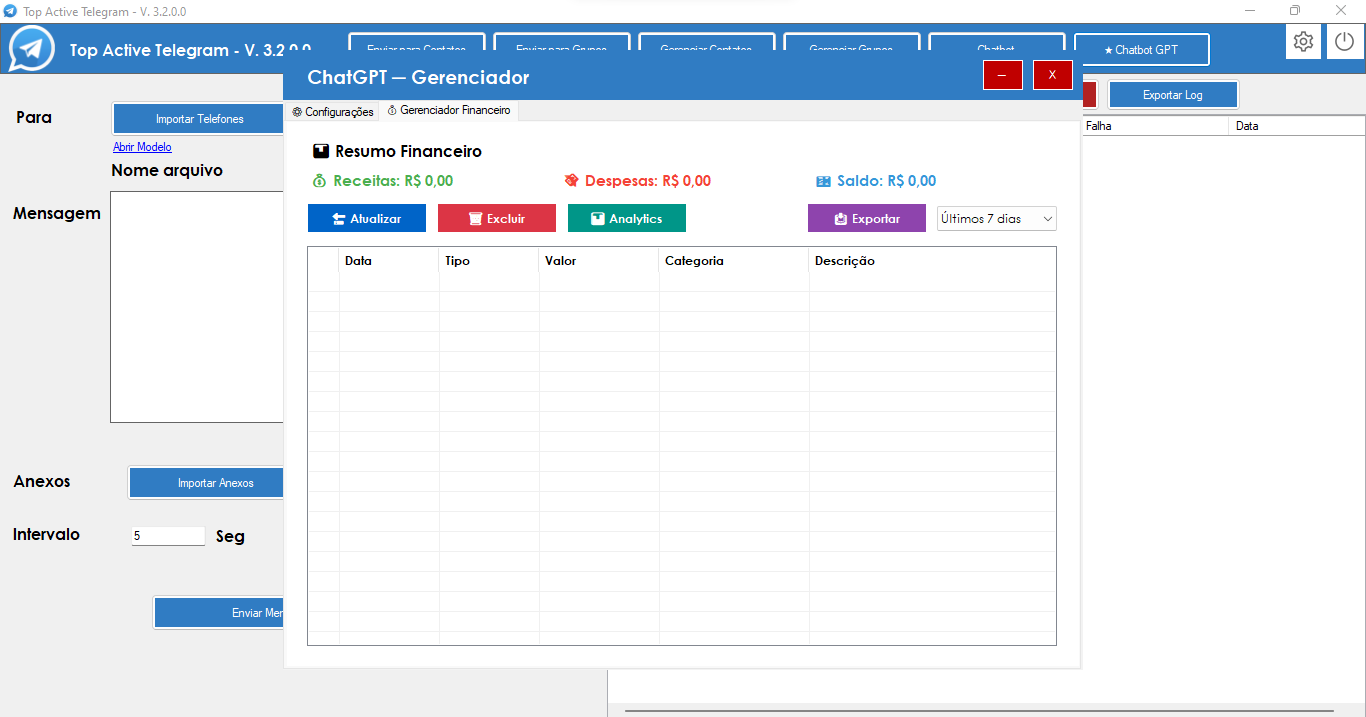
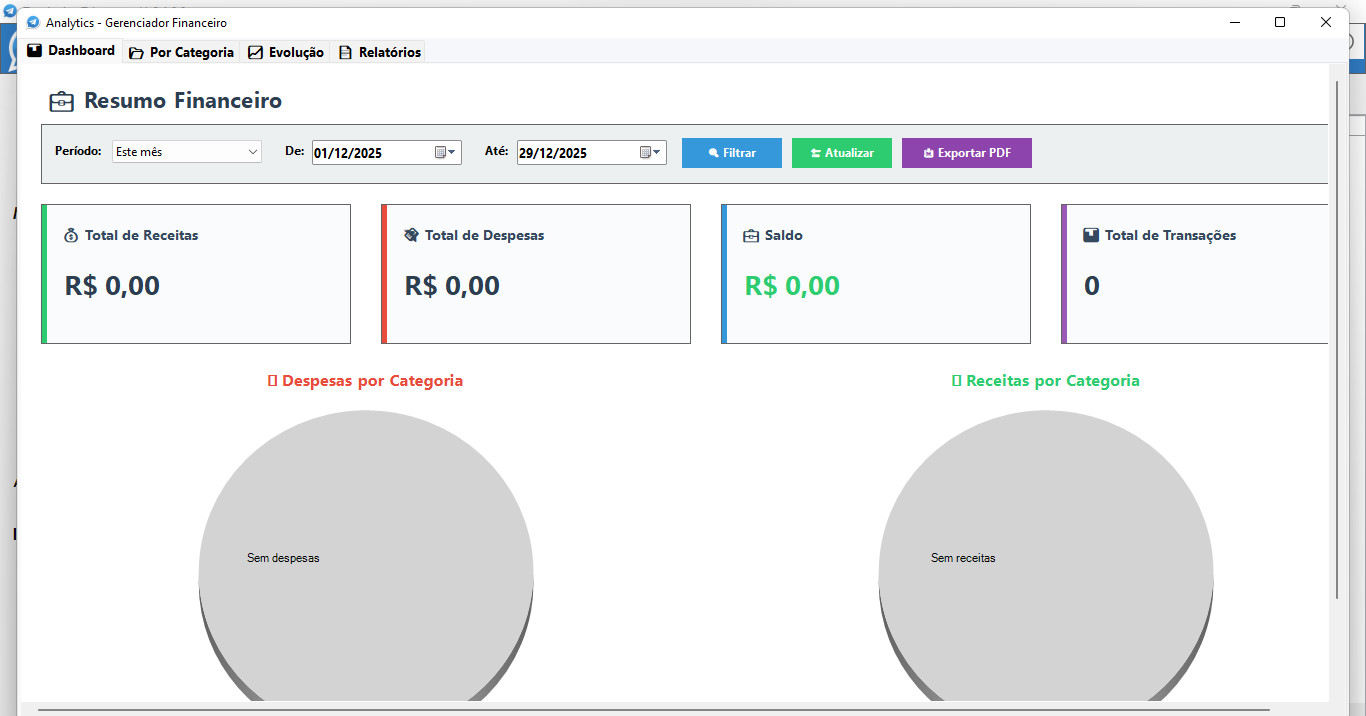
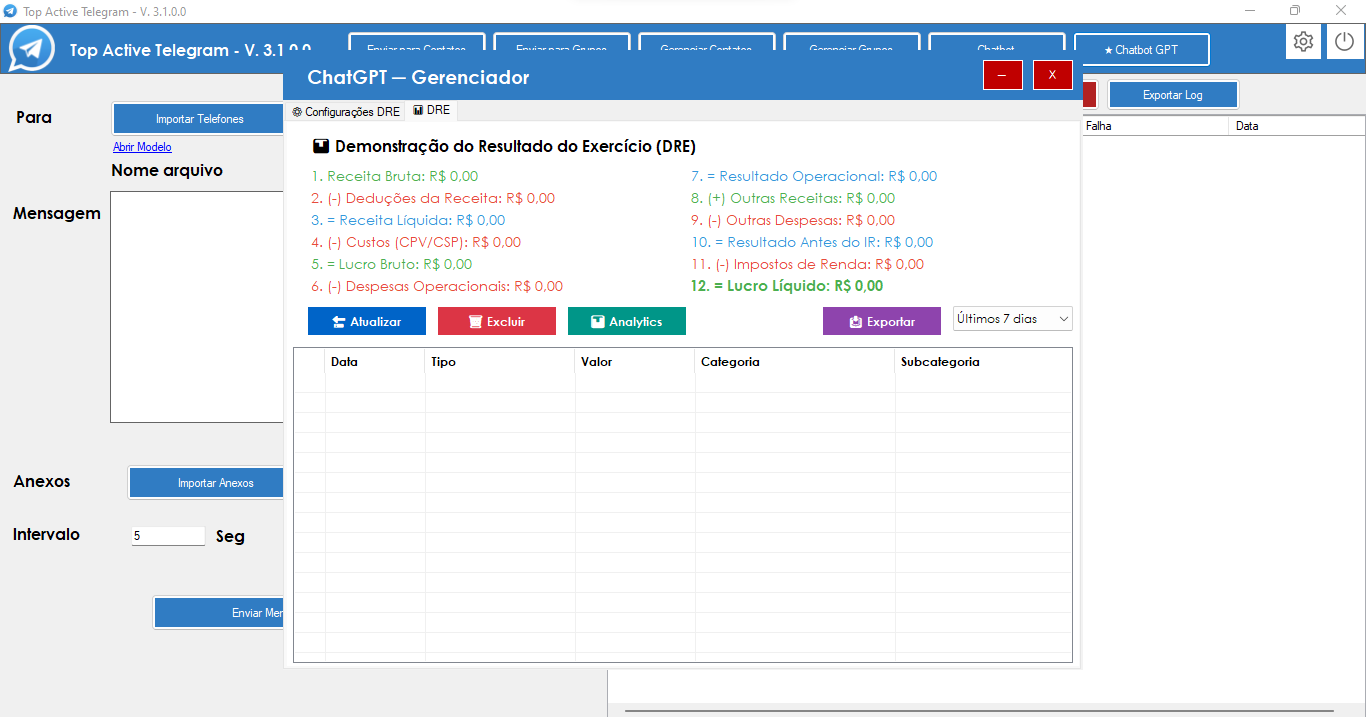
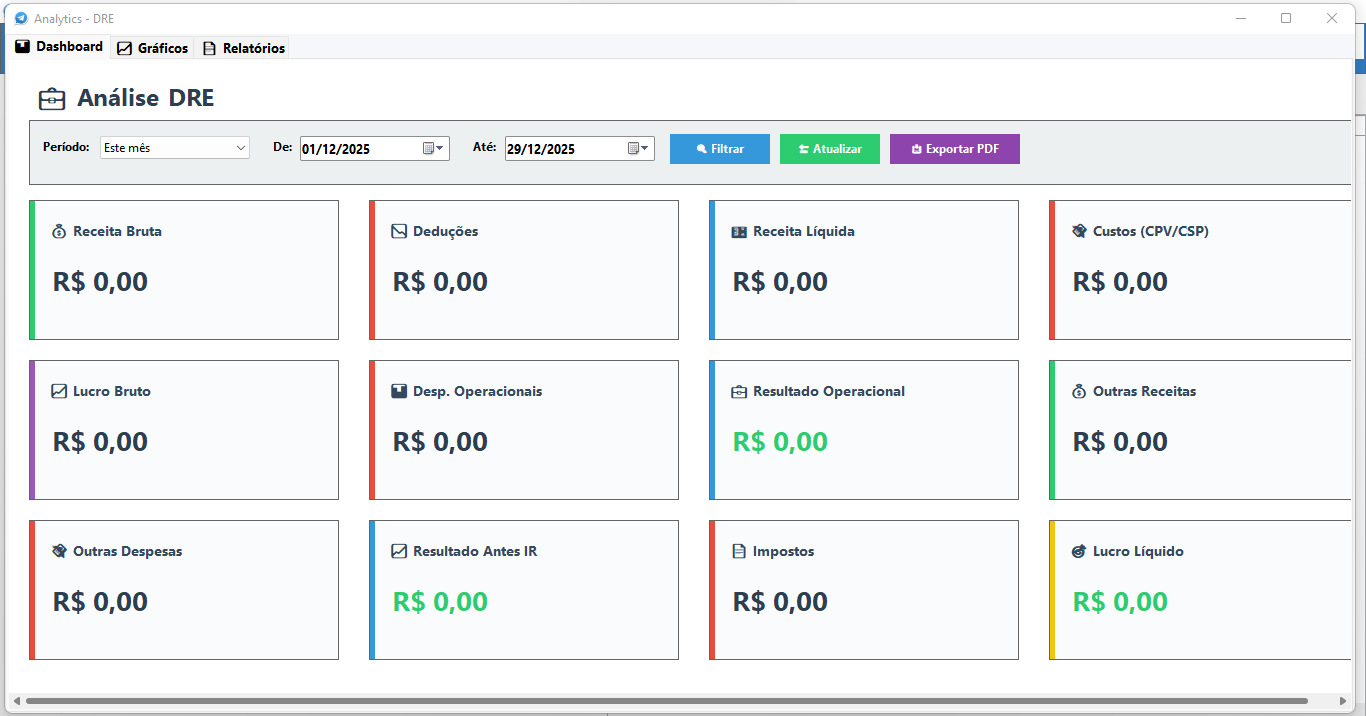
Top Active Telegram is the most complete and advanced automation system for Telegram, with integrated artificial intelligence, an Intelligent Financial Manager that automatically processes transactions, and a professional P&L (Profit and Loss Statement) system with automatic accounting categorization.
🚀 Spotlight: official Telegram API for CSV-based sending
• Direct integration with the official API for dispatches driven by your CSV file.
• Built for heavy throughput: helps reduce browser automation stalls, timeouts, and intermittent failures.
• Recommended when your priorities are speed, consistency, and less operational rework.
📄 Normal messages and the CSV file
• The same normal message concept loaded from CSV, now with an option to route through the official API.
• Works with the column layout and list preparation flow you already use in Top Active Telegram.
📨 Single message and multiple messages
• Supported in normal message mode (single-message style sending from the CSV).
• Supported in multiple messages mode for campaigns with sequences or content variation.
• Pick the mode that matches your campaign strategy without losing flexibility.
🌐 Telegram Web + Chrome preserved
• Sending via Telegram Web with Google Chrome remains available for users who prefer or depend on that path.
• It coexists with the new official API option: nothing was removed—only expanded.
⚖️ Why the official API deserves special emphasis
• Generally feels faster in delivery and more stable under load.
• Less day-to-day operational noise and fewer recurring errors at large scale.
• For serious mass campaigns from CSV, the official API is the strongest option in the app’s current ecosystem.
Update: January 04, 2026.
🔐 Net Profit Secret Key Protection
• Configure an optional secret key to protect access to Net Profit in the Income Statement. • The Net Profit value is hidden and protected until the secret key is entered. • Extended protection for files: Telegram or Email submissions require the key before sharing is allowed. • Entirely optional configuration - the system works normally without the key if you do not wish to use this functionality. • Dedicated interface in the Income Statement settings tab with an exclusive button. to manage the secret key. • Enhanced security: the key is stored in encrypted form and is never saved in plain text. • Ideal for corporate environments where multiple users input data, but only managers should see the final result.
💡 How it works
• Access the DRE settings tab and click the "🗝️ Configure Secret Key" button.
• Define a custom secret key (it can be any combination of characters).
• Once configured, Net Profit will be hidden and will only display "[🔒 Protected]" until the key is entered.
• Click the protected label to open the key entry screen and view the value.
• The key remains valid throughout the application session after being entered correctly.
• To change or remove the key, it is necessary to enter the current key as an additional security measure.
🛡️ Protection of Files
• When requesting a DRE backup via Telegram or Email, the system checks if the secret key is active. • If the key is configured, it will be requested before allowing the backup to be sent. • This ensures that sensitive information is not accidentally shared without authorization. • The verification occurs automatically, without the need for additional configuration. • Works for both individual files and scheduled automatic files.
⚙️ Key Management
• Configure: Set a new secret key for the first time.
• Change: Modify the existing key (requires informing the current key).
• Remove: Disable protection completely (requires informing the current key for confirmation).
• All operations are performed through an intuitive and secure interface.
• The button in the interface changes dynamically to reflect the current state. (Configure or Change Key).
🔒 Security and Privacy
• The secret key is never stored in plain text on the system.
• It uses SHA256 encryption to generate a secure hash of the key.
• Only the hash is saved, making it impossible to recover the original key even with access to system files.
• Each access attempt is validated in real time without exposing sensitive information.
• Protection is applied to both the visual interface and file and export processes.
Update: November 30, 2025.
🎤 Intelligent Audio Transcription
• Record financial transactions simply by sending audio messages via Telegram.
• Full support for Financial Manager and Income Statement (Profit and Loss Statement) module.
• Configure your preferred transcription mode in each module's settings.
• The system processes the audio, transcribes it to text, and executes the entire normal recording flow.
• Recognizes monetary values, descriptions, and categories spoken naturally.
• Ideal for quickly recording transactions while on the go or Busy.
💡 Examples of Use
• Send an audio saying "I earned R$ 750.00 today" and the system automatically registers it as income.
• Say "I spent R$ 150.00 at the supermarket" and the expense is categorized and registered.
• For the Income Statement, say "I paid R$ 1,902.79 in taxes from the Simples Nacional" and the system correctly classifies it as a deduction from income.
• Works with any natural description; the system understands the context and processes it appropriately.
📸 Intelligent Image Analysis with AI
• Send photos of financial receipts directly via Telegram.
• Automatic extraction of monetary values, dates, establishments, and descriptions.
• Intelligent recognition of the Brazilian value format (period for thousands, comma for decimal).
• Automatic classification in Correct categories for the Financial Manager or Income Statement.
• Works with invoices (NF-e, NFC-e), receipts, payment vouchers, and any financial document.
• Optimized processing that identifies the transaction type and applies the appropriate business rules.
• Full support for both modules: Financial Manager and Income Statement.
💡 Usage Examples
• Take a picture of a product purchase invoice and the system registers it as a cost (COGS/COSP) in the Income Statement.
• Send a payment receipt for R$ 6.00 via keychain and it is automatically categorized as an expense.
• Photograph a Simples Nacional document and the system identifies and registers it as a revenue deduction.
• Any financial voucher is processed automatically, extracting all relevant information.
🔍 Advanced Features
• Automatically recognizes if it is a product purchase (classifies as COST) or operating expense.
• Identifies taxes and fees, correctly classifying them in the income statement as revenue deductions.
• Extracts values even in varied formats, always respecting the Brazilian standard.
• Processes multiple items in a single invoice when applicable.
Update: November 29, 2025.
💰 Intelligent Financial Manager
• Automatic processing of financial transactions via Telegram - send messages about income and expenses and the system does all the work.
• Automatic intelligent categorization - the system identifies and categorizes transactions into dozens of predefined categories (Food, Transportation, Health, Education, etc.).
• Automatic detection of values, dates, installments, and status (Paid/Pending) directly from messages.
• Real-time financial summary - view income, expenses, and updated balance instantly.
• Flexible period filters - Last 7 days, 30 days, 90 days, This month, Last month, This year, or Entire period.
• Full export to HTML with all data organized and ready for analysis.
• Advanced analytics with visual charts of income vs. expenses, time evolution, and category analysis.
• Automatic email backup - configure SMTP and receive periodic backups of your financial data.
• Independent settings - API Key, GPT model, and email settings completely separate from the normal chatbot.
• Intuitive interface with transaction list, multiple selection, batch deletion, and real-time update.
💡 Usage examples
• Send "I received $500.00 in salary" and the system automatically registers it as income in the Work category.
• Send "I paid $150.00 at the supermarket" and the system categorizes it as an expense under Food > Supermarket.
• Send "I bought a notebook for $2,000.00 in 10 installments" and the system automatically creates the 10 installments.
• Request "Summary" and receive a complete report of your finances for the period.
• Request "Backup" and receive an email with all your exported financial data.
🚀 Why is it a revolution?
Completely dispense with paper, notepads, complex Excel spreadsheets, or complicated financial applications. Everything is done naturally through conversations on Telegram - you simply talk about your finances and the system organizes everything automatically. It's like having a personal accountant 24/7 who understands you perfectly and keeps everything organized effortlessly.
📘 Automatic P&L System
• Automatic processing of P&L via Telegram following the official Brazilian accounting structure.
• Intelligent categorization in complete P&L structure - Gross Revenue, Revenue Deductions, Costs, Operating Expenses (Administrative, Commercial, Financial), Operating Result, and Net Profit.
• Recognition of hundreds of official P&L categories and subcategories - from Revenue on Sales to Depreciation, covering all standard accounting accounts.
• Automatic calculation of all P&L indicators - Net Revenue (Gross Revenue - Deductions), Gross Profit (Net Revenue - Costs), Operating Result (Gross Profit - Operating Expenses), and final Net Profit.
• Automatic detection of values, dates, and P&L categories directly from Telegram messages.
• Flexible period filters - Last 7 days, 30 days, 90 days, This month, Last month, This year, or Entire period.
• Full export to HTML with professional P&L structure and all automatic calculations.
• Advanced analytics with visual graphs of P&L structure, indicator evolution, and detailed analysis by category.
• Automatic email backup - configure SMTP and receive periodic backups of your P&L data.
• Independent settings - API Key, GPT model, and email settings completely separate from the normal chatbot and the financial manager.
💡 Usage examples
• Send "Sales revenue $10,000.00" and the system automatically registers it in Gross Revenue > Revenue on Sales.
• Send "I paid a salary of $3,000.00" and the system categorizes it in Operating Expenses > Personnel Expenses > Salary.
• Send "ICMS ST of $500.00" and the system registers it in Gross Revenue Deductions > ICMS ST.
• Send "COGS of $2,000.00" and the system categorizes it in Costs > COGS - Cost of Goods Sold.
• Automatically view Net Revenue, Gross Profit, Operating Result, and Net Profit calculated in real time.
🚀 Why is it a revolution?
Completely dispense with complex Excel spreadsheets, expensive accounting systems, or manual work of entering and calculating P&L. Everything is done naturally through conversations on Telegram - you simply report the transactions and the system organizes everything in the official P&L structure, automatically calculating all accounting indicators. It's like having a professional accountant 24/7 who understands the P&L structure perfectly and keeps everything organized effortlessly, strictly following Brazilian accounting standards.
Update: November 22, 2025.
📚 Smart Prompt Library
• Create and manage multiple prompt profiles for different customer service situations. • Each prompt can be named, edited, and activated individually as needed. • Larger and more detailed prompts allow for more specific instructions to the GPT Chatbot. • Switch between prompts instantly without needing to reconfigure the system. • Save standard and custom prompts for future use. • Ideal for adapting the bot's behavior to different contexts: support Technical, sales, general customer service, etc. 💡 Examples of use • Create a "Sales Support" prompt focused on conversion and another "Technical Support" prompt focused on problem solving. • Use longer prompts for detailed instructions on how the bot should behave in specific situations. • Activate the appropriate prompt according to the time or type of conversation being handled.
Update: November 16, 2025.
💡 Advantages of the Official API
• Faster: direct shipments without intermediaries.
• More stable: fewer errors and connection failures.
• Safer: use official Telegram channels.
• More reliable: less chance of blockages and restrictions.
📱 Displayed Information
• Account being used: shows which number/phone is sending.
• Destination: displays the name of the group or contact that is receiving.
• Progress: indicates how many submissions were completed out of the total (ex: 15/50).
• Status: shows the current status (sending, success, error, etc.).
• Message: Displays a preview of the content being sent.
🎯 Features
• Real-time update throughout the process.
• Appears both when sending to groups and when sending to contacts.
• Clear and objective visualization of all operations.
• Allows you to track multiple shipments simultaneously.
• Facilitates the identification of problems and successes during the process.
✅ Benefits
• Total transparency about what is happening.
• Complete control over each shipment made.
• Quick identification of problems or errors.
• Follow-up professional and organized.
• Better user experience and confidence in the system.
Update: November 09, 2025.
Main Features Implemented:
📋 Import Contacts, Groups, and Members
• New dedicated button to import individual contacts from Telegram
• Specific button to import entire groups and members
• Simplified interface and optimized processes
• Automatic data validation during import
• Full control over who receives the messages
🎯 Message Variation System
• Activation via "Vary" checkbox in normal mode
• Works for individual contacts, groups, and group members
• Rotation algorithm ensures balanced message distribution
• Automatic selection of only ONE message per recipient
• Significantly reduces spam detection and blocking
✨ Integrated Visual Emoji Picker
• Complete library of updated emojis
• Intelligent keyword search in Portuguese and English
• Organized categories (smileys, animals, food, travel, etc.)
• Direct insertion at the cursor position
• Intuitive and modern visual interface
📊 Organization and Control
• Clear separation between contacts, groups, and members
• Detailed view of all recipients
• Real-time import statistics
• Logs show which message was sent to each Recipient
• Centralized interface for managing campaigns
🛡️ Protection and Optimization
• Varied messages feel more natural and human
• Dramatically reduces the chance of spam blocking
• Ideal for high-volume marketing campaigns
• Maintains sending effectiveness without compromising the account
• Significantly increases delivery and engagement rates
🔧 Member Duplication Correction
• Advanced duplicate member detection system during extraction
• Automatic removal of duplicates from the recipient list
• Clean and organized lists without the need for manual intervention
• Reduces sending errors and wasted resources
• Ensures accurate sending and reporting
Update: June 27, 2025.
Main Features Implemented:
📋 Import Contacts, Groups, and Members
• New dedicated button to import individual contacts from Telegram
• Specific button to import entire groups and members
• Simplified interface and optimized processes
• Automatic data validation during import
• Full control over who receives the messages
🎯 Message Variation System
• Activation via "Vary" checkbox in normal mode
• Works for individual contacts, groups, and group members
• Rotation algorithm ensures balanced message distribution
• Automatic selection of only ONE message per recipient
• Significantly reduces spam detection and blocking
✨ Integrated Visual Emoji Picker
• Complete library of updated emojis
• Intelligent keyword search in Portuguese and English
• Organized categories (smileys, animals, food, travel, etc.)
• Direct insertion at the cursor position
• Intuitive and modern visual interface
📊 Organization and Control
• Clear separation between contacts, groups, and members
• Detailed view of all recipients
• Real-time import statistics
• Logs show which message was sent to each Recipient
• Centralized interface for managing campaigns
🛡️ Protection and Optimization
• Varied messages feel more natural and human
• Dramatically reduces the chance of spam blocking
• Ideal for high-volume marketing campaigns
• Maintains sending effectiveness without compromising the account
• Significantly increases delivery and engagement rates
🔧 Member Duplication Correction
• Advanced duplicate member detection system during extraction
• Automatic removal of duplicates from the recipient list
• Clean and organized lists without the need for manual intervention
• Reduces sending errors and wasted resources
• Ensures accurate sending and reporting
Update: May 07, 2025.
Update: April 03, 2025.
Update: March 26, 2025.
Update: March 23, 2025.
Update: March 03, 2025.
Update: September 01, 2024.
Update: July 11, 2024.
Update: September 15, 2023.
Update: March 27, 2023.
Update: December 20, 2022.
Update: May 02, 2021
Update: December 01, 2021.